GPS & location guide
Using GPS is optional. You can find spots by moving the map or searching stations and areas without sharing your location.
You can change your choice anytime
Your choice is saved in this browser. This does not change device or browser permissions. Tap GPS on the map to resume.
POTALK updates your location while the map page is open. Choose Open map without GPS below to stop location requests, even if your browser allows them.
I want to use GPS · iPhone / Safari
The site’s Allow button is separate from device and browser permission. If location was blocked, change the settings below and reload.
These screenshots show Safari in Japanese. The layout varies by iOS version. Tap an image to enlarge it.
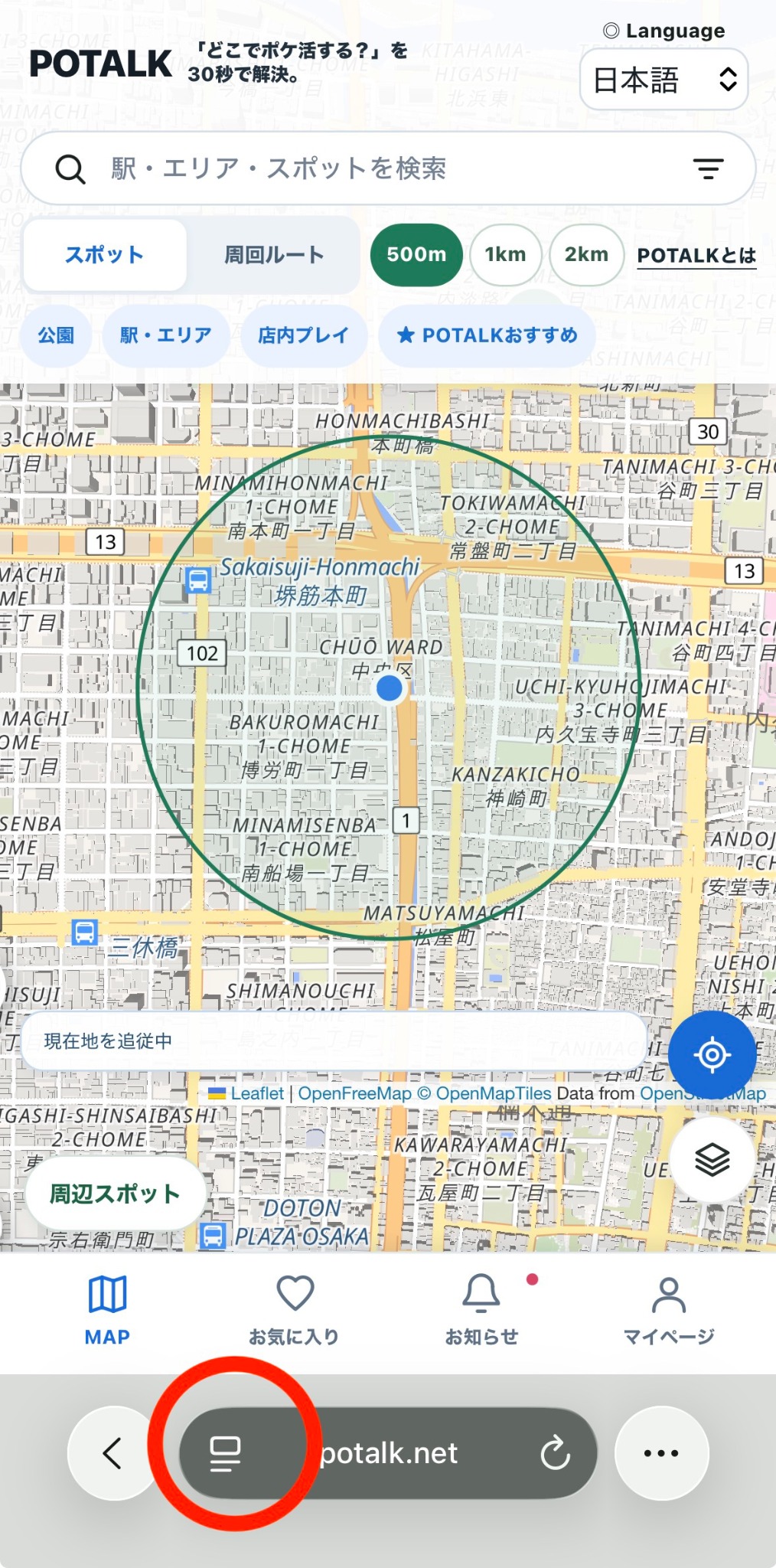
1. Open POTALK in Safari and tap the page menu to the left of the address bar (red circle).
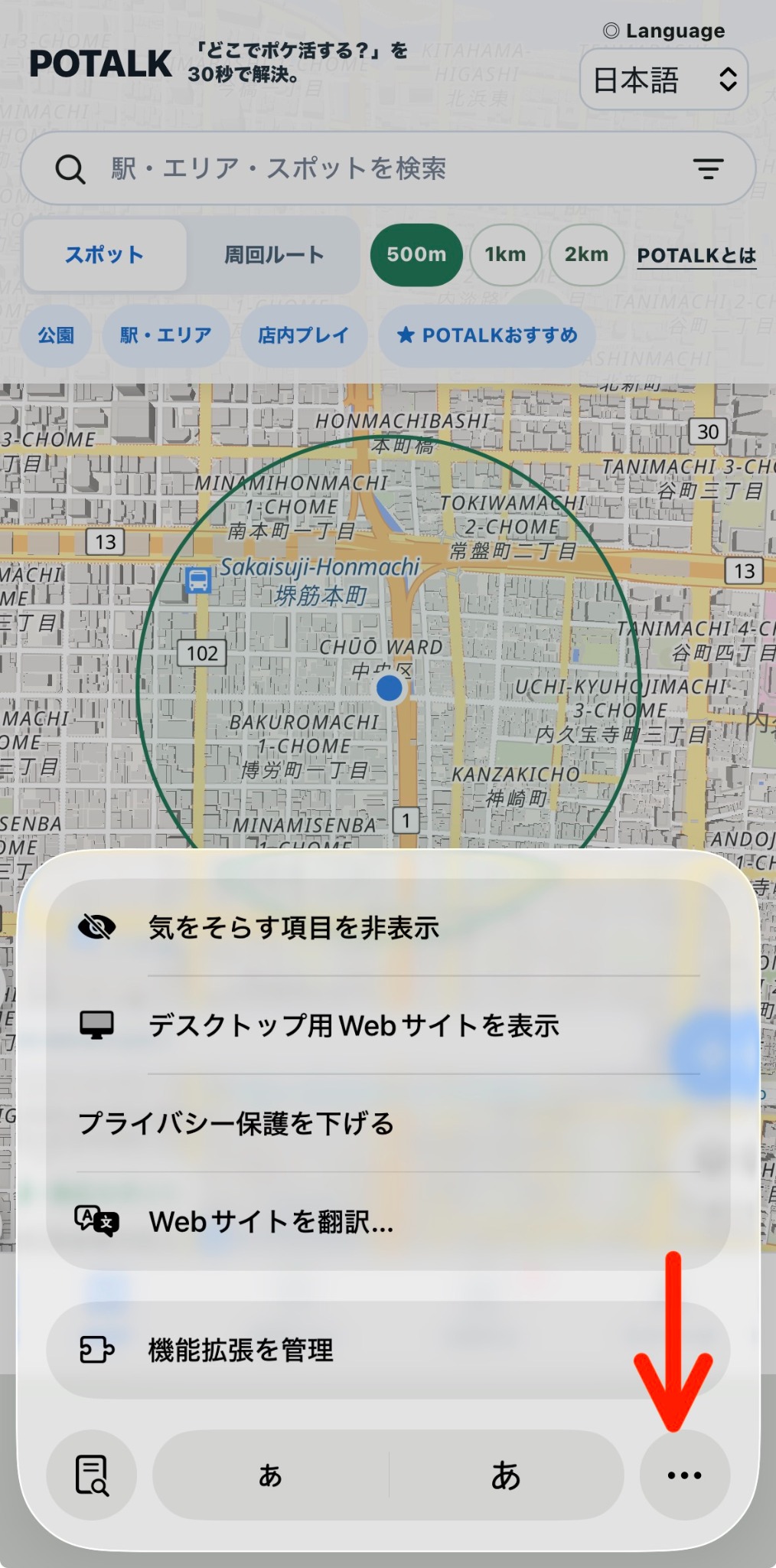
2. Tap the “…” button at the lower right of the menu (red arrow).
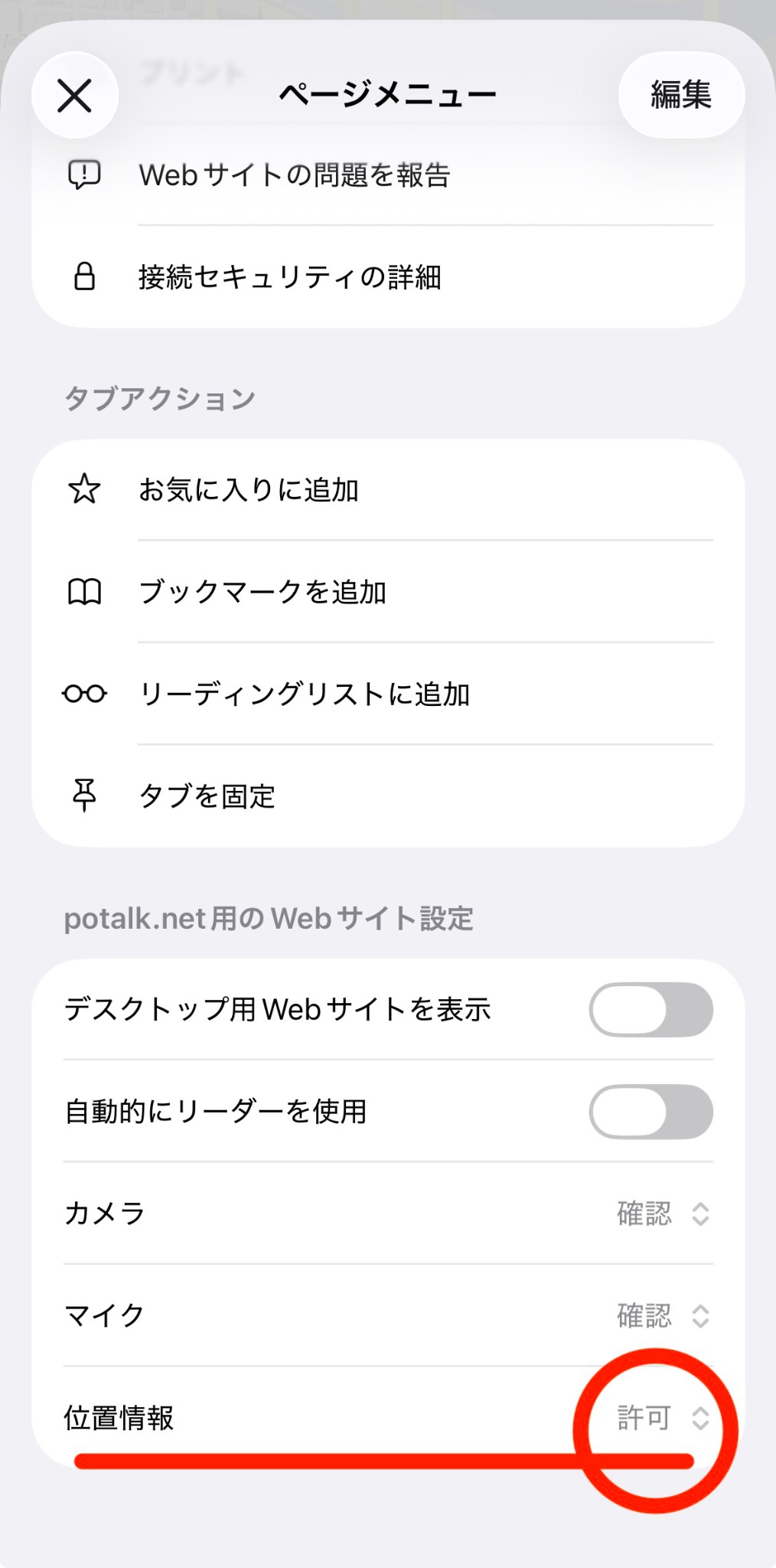
3. In website settings for potalk.net, set Location to Allow. Close the menu, reload, and tap GPS.
If location still does not work
On iPhone, turn on Settings → Privacy & Security → Location Services. Allow Safari Websites while using the app.
On Android, enable device location and Chrome’s location permission. In Chrome → Settings → Site settings → Location, allow potalk.net.
If you opened POTALK inside LINE or a social app, try opening it directly in Safari or Chrome.